Add a discount coupon in WooCommerce
Coupons let customers enter a code at checkout to get a discount. Here’s how to create one or check an existing one.
Find your coupons
Go to Marketing → Coupons in the left menu. You’ll see a list of all active coupon codes with their type and discount amount.
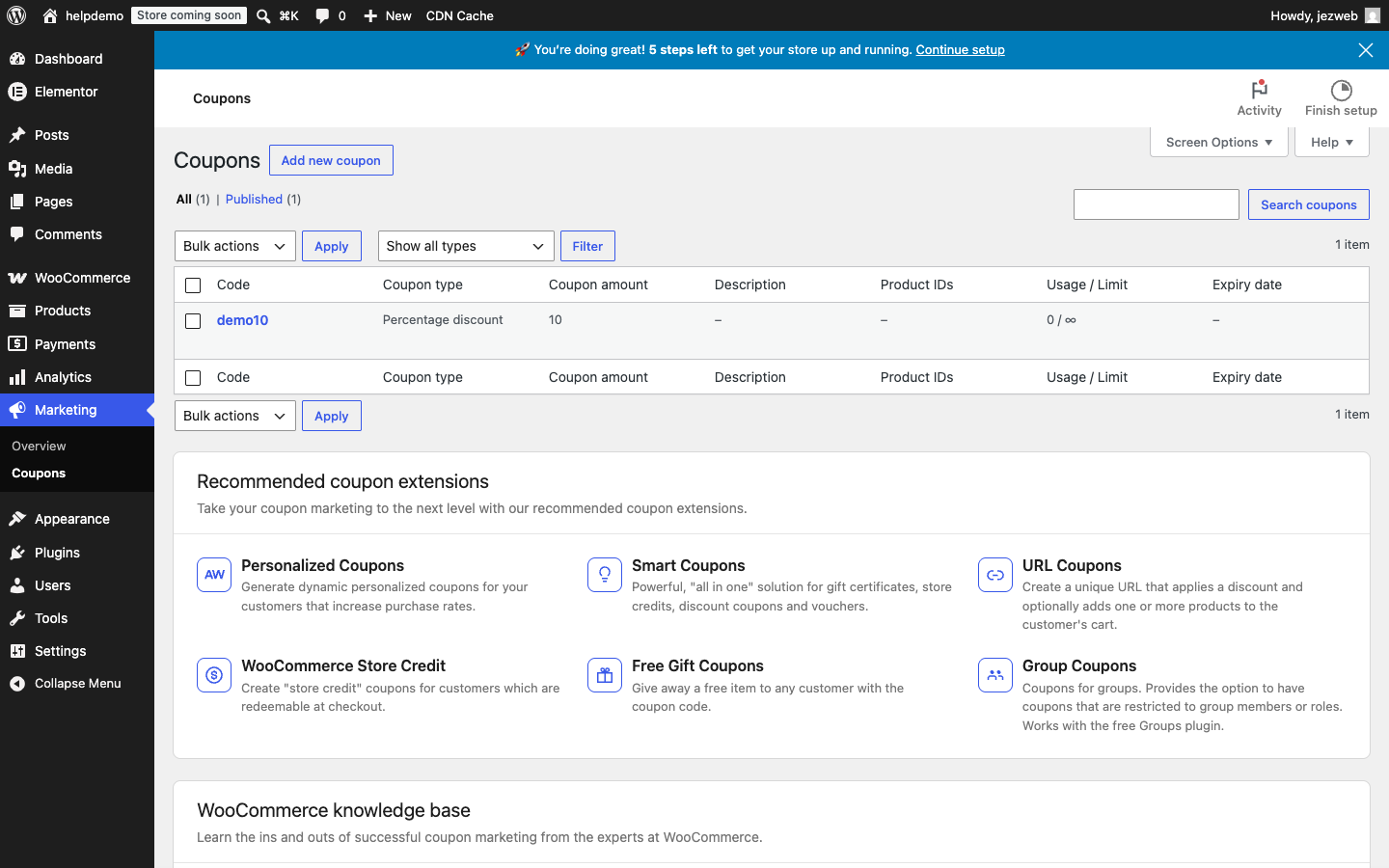
Click Add new coupon to create one, or click an existing code to edit it.
Coupon settings
The main settings are on the General tab inside the coupon editor:
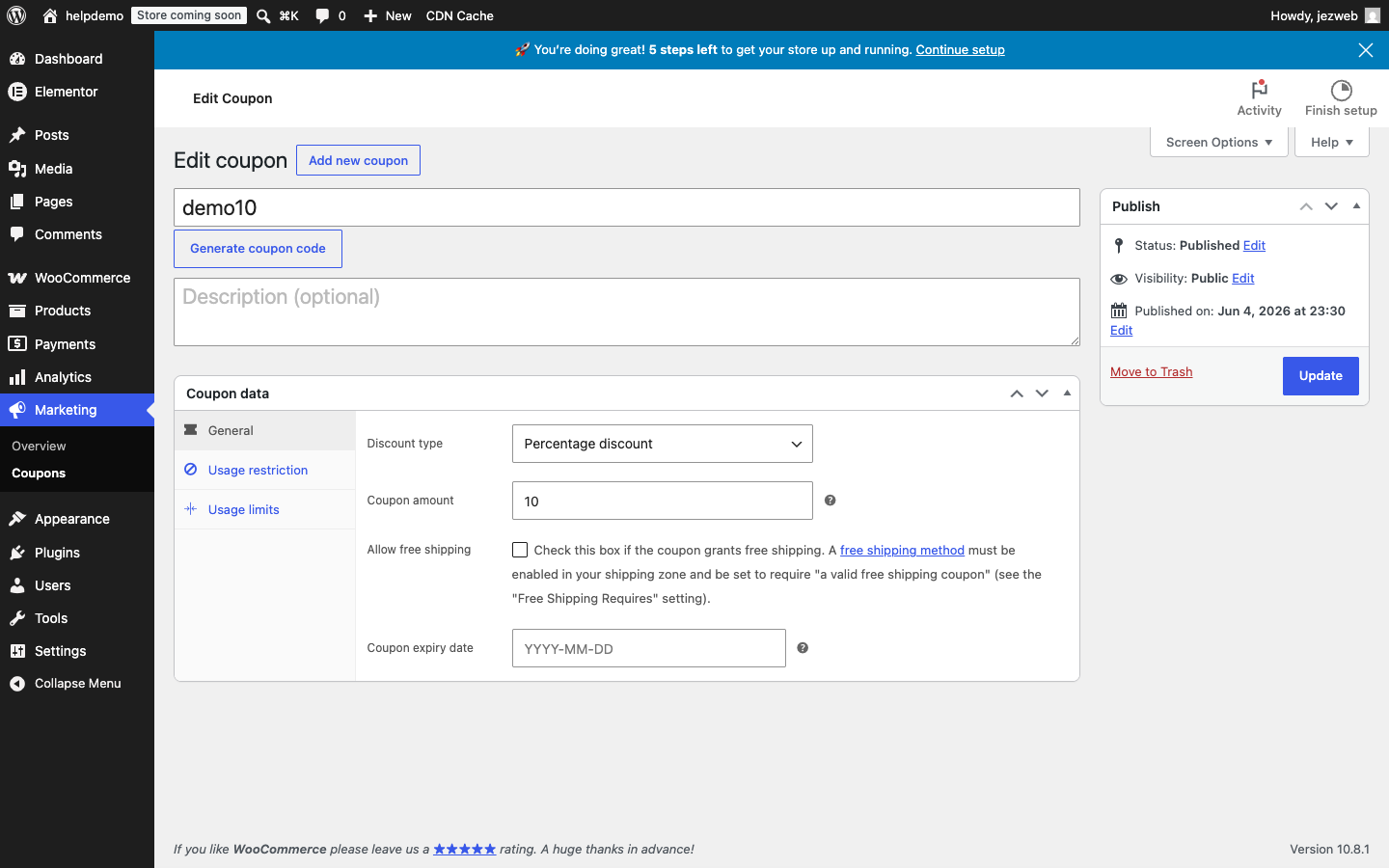
Discount type — choose how the discount is applied:
- Percentage discount — takes a percentage off the cart total (e.g. 10 = 10% off)
- Fixed cart discount — deducts a set dollar amount from the cart (e.g. 10 = $10 off)
- Fixed product discount — deducts a set amount from each qualifying product
Coupon amount — the number (percentage or dollars depending on the type above).
Coupon expiry date — optional. Enter a date in YYYY-MM-DD format and the coupon stops working after midnight on that day.
Usage restriction and limits
The Usage restriction tab lets you set a minimum spend, limit the coupon to specific products or categories, or exclude items on sale.
The Usage limits tab lets you cap how many times the coupon can be used in total, or how many times a single customer can use it.
When you’re done, click Publish (new coupon) or Update (existing coupon) to save.
Didn't work, or not sure?
No worries — that's what we're here for. Tell us what step you got up to and what you saw, and we'll sort it with you.