Track stock so you never oversell
Nothing burns goodwill like taking money for something you can’t supply. WooCommerce can count your stock for you: each sale reduces the number, and when it hits zero the product sells out automatically.
Turn on stock tracking for a product
-
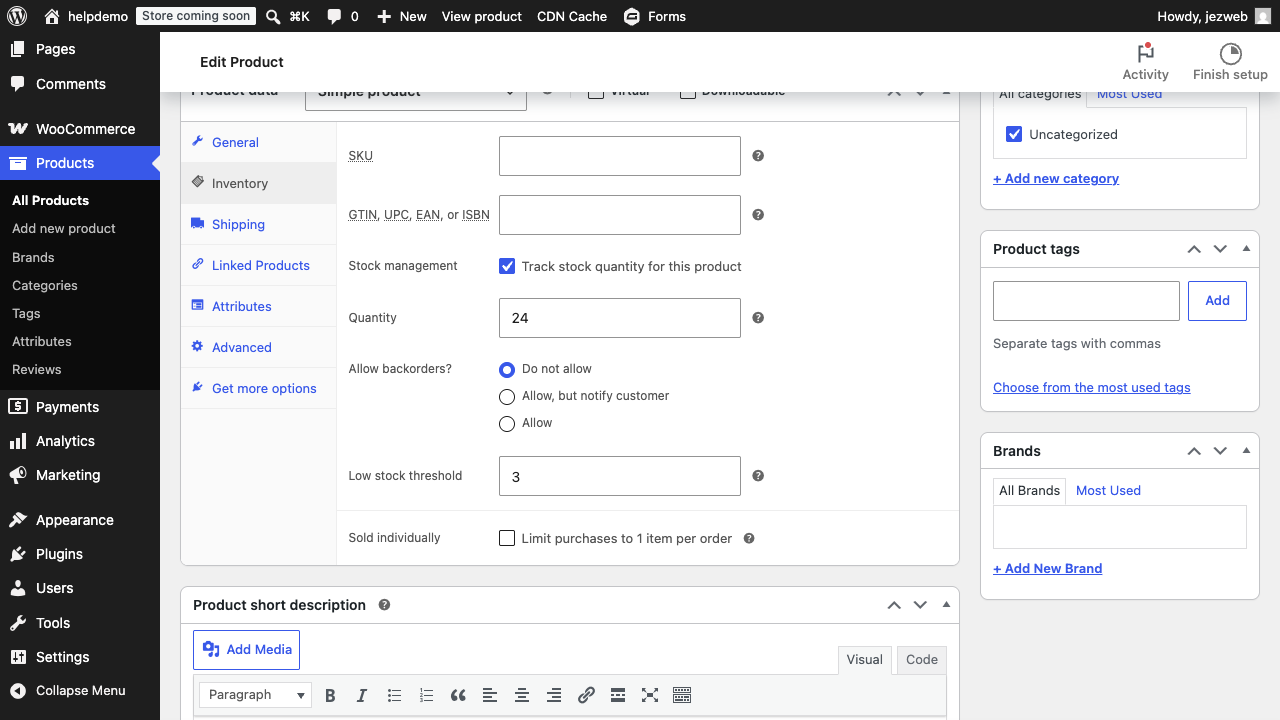
Open the product and scroll to Product data.
-
Open the Inventory tab and tick Track stock quantity for this product.
-
Set the Quantity you actually have. Be honest; the whole system rests on this number.
-
Choose what happens at zero with Allow backorders: Do not allow is the safe default (the product shows as out of stock). Allow backorders only if you genuinely can supply on a delay, and tell the customer so.
-
Update the product. From now on every order reduces the count.
Get warned before you run out
In the same Inventory tab, set a Low stock threshold (e.g. 3). When stock falls to that number, WooCommerce emails you so you can reorder before the listing goes dark.
The email goes to your store’s notification address: check it under WooCommerce → Settings → Emails, and the store-wide stock options under WooCommerce → Settings → Products → Inventory.
Fix the count when reality disagrees
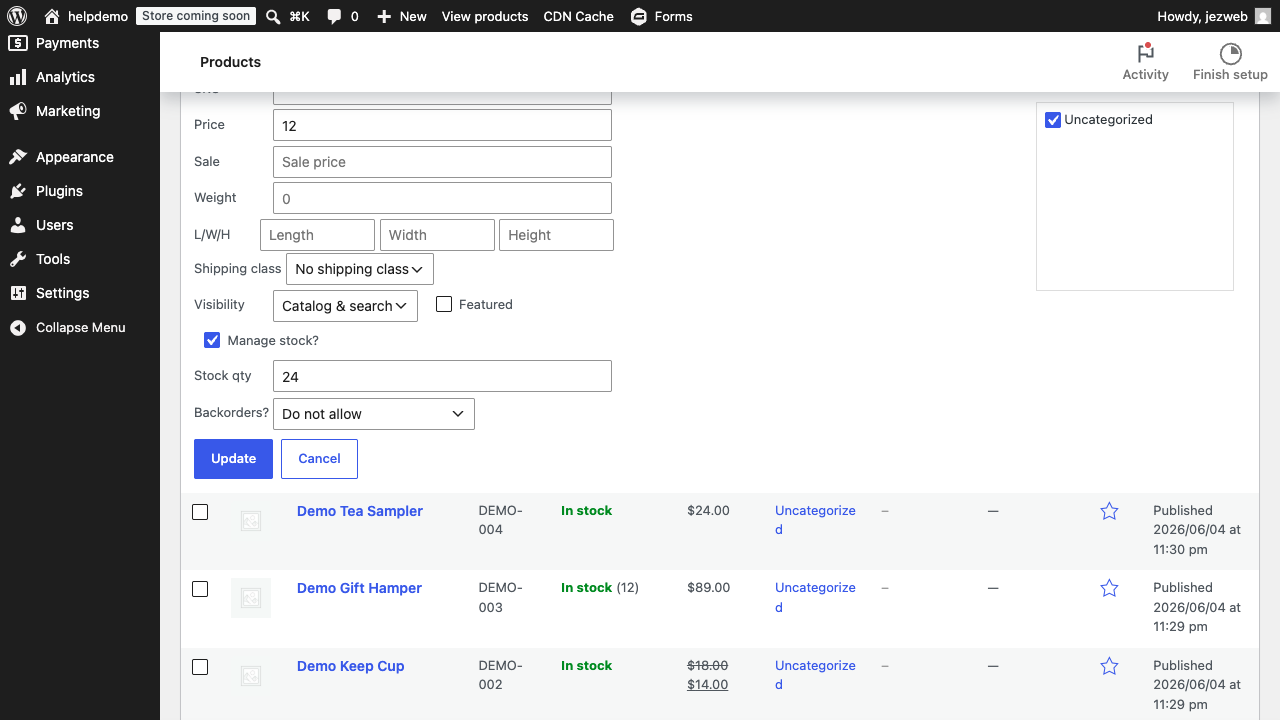
Stocktake found a different number? Open the product’s Inventory tab and correct the Quantity, or use Quick Edit from the product list for a faster change (see Edit prices and stock).
Two things that catch people:
- Refunding an order doesn’t always restock it. When you refund, tick the restock option if the item is going back on the shelf.
- Variations track separately. For a product with sizes, the stock setting lives on each variation, not the parent (see Sizes & colours).
If counting is more trouble than it’s worth
Selling services, made-to-order work, or things you never run out of? Leave stock tracking off. The feature is for stock you can actually exhaust; switching it on for everything just creates housekeeping.
Didn't work, or not sure?
No worries — that's what we're here for. Tell us what step you got up to and what you saw, and we'll sort it with you.