Products with sizes or colours (variable products)
A t-shirt in four sizes is one product with four variations, not four products. WooCommerce calls this a variable product. It’s a two-stage setup: define the options, then generate the variations.
Make the product variable
-
Open the product (or create one: see Add a new product).
-
In the Product data section, change the dropdown from Simple product to Variable product.
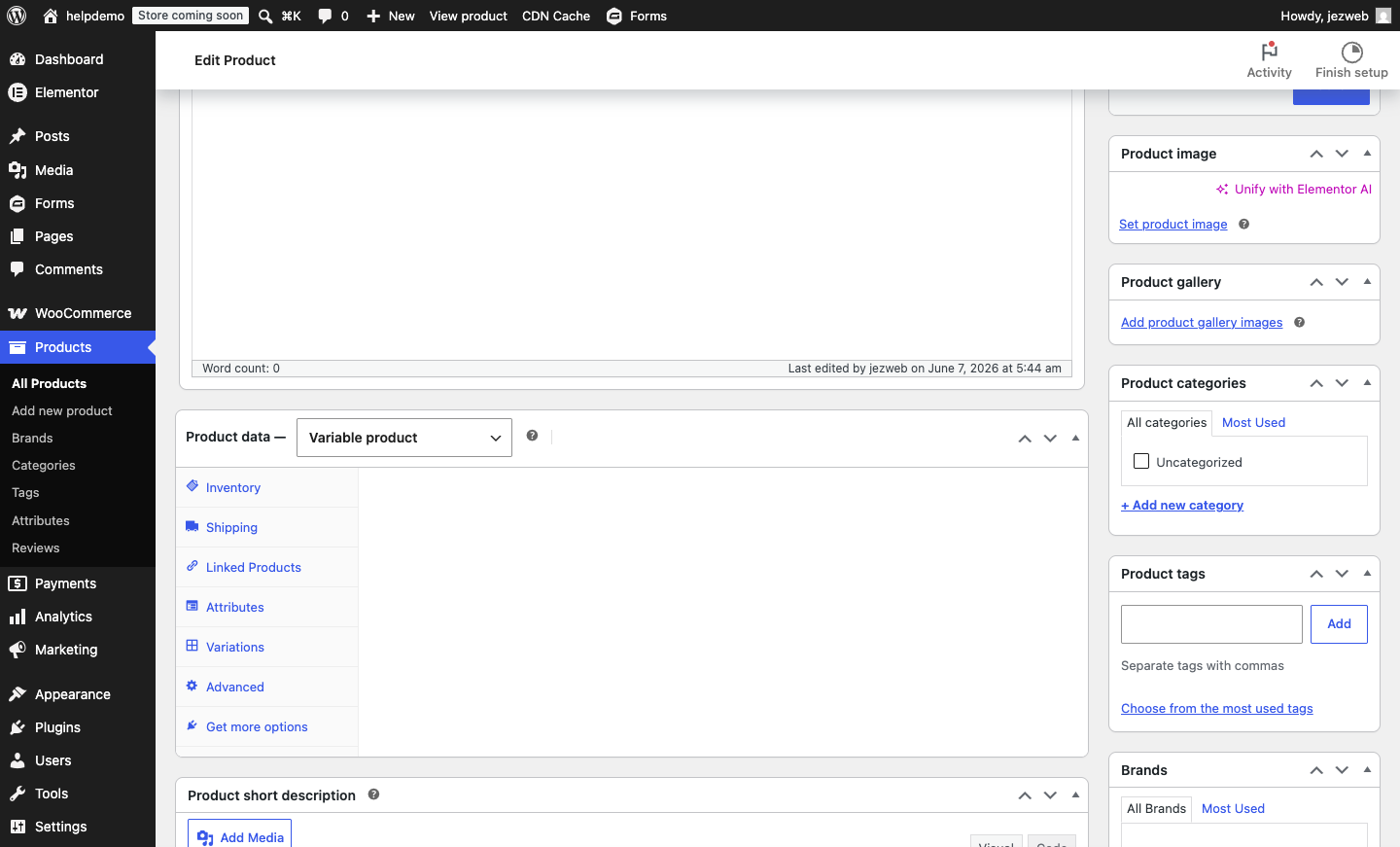
Define the options (attributes)
-
Open the Attributes tab inside Product data, and add a new attribute. Name it what the customer is choosing: Size, Colour, Material.
-
Enter the values separated by a
|character (e.g.Small | Medium | Large). Tick Used for variations, then Save attributes.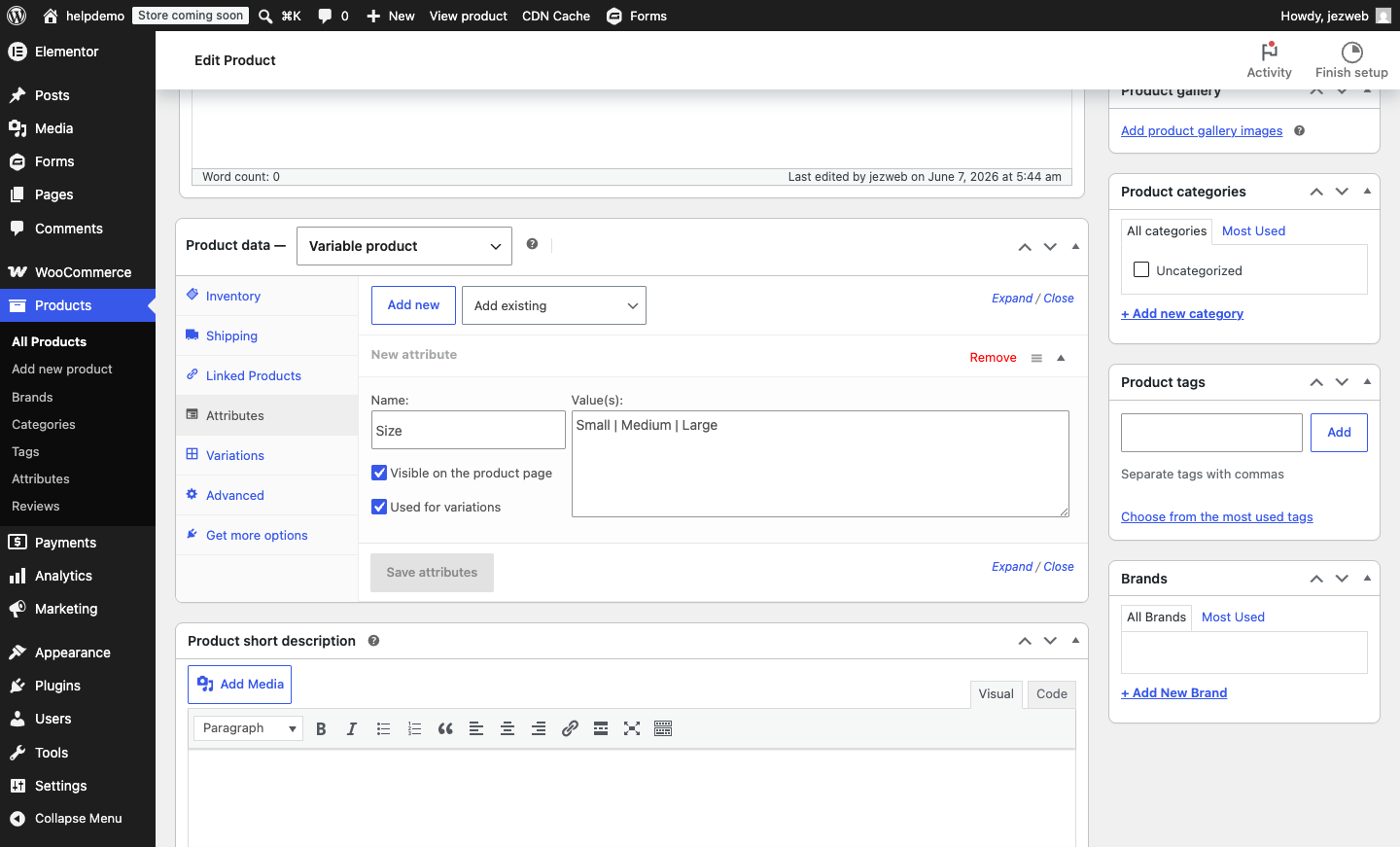
Generate the variations
-
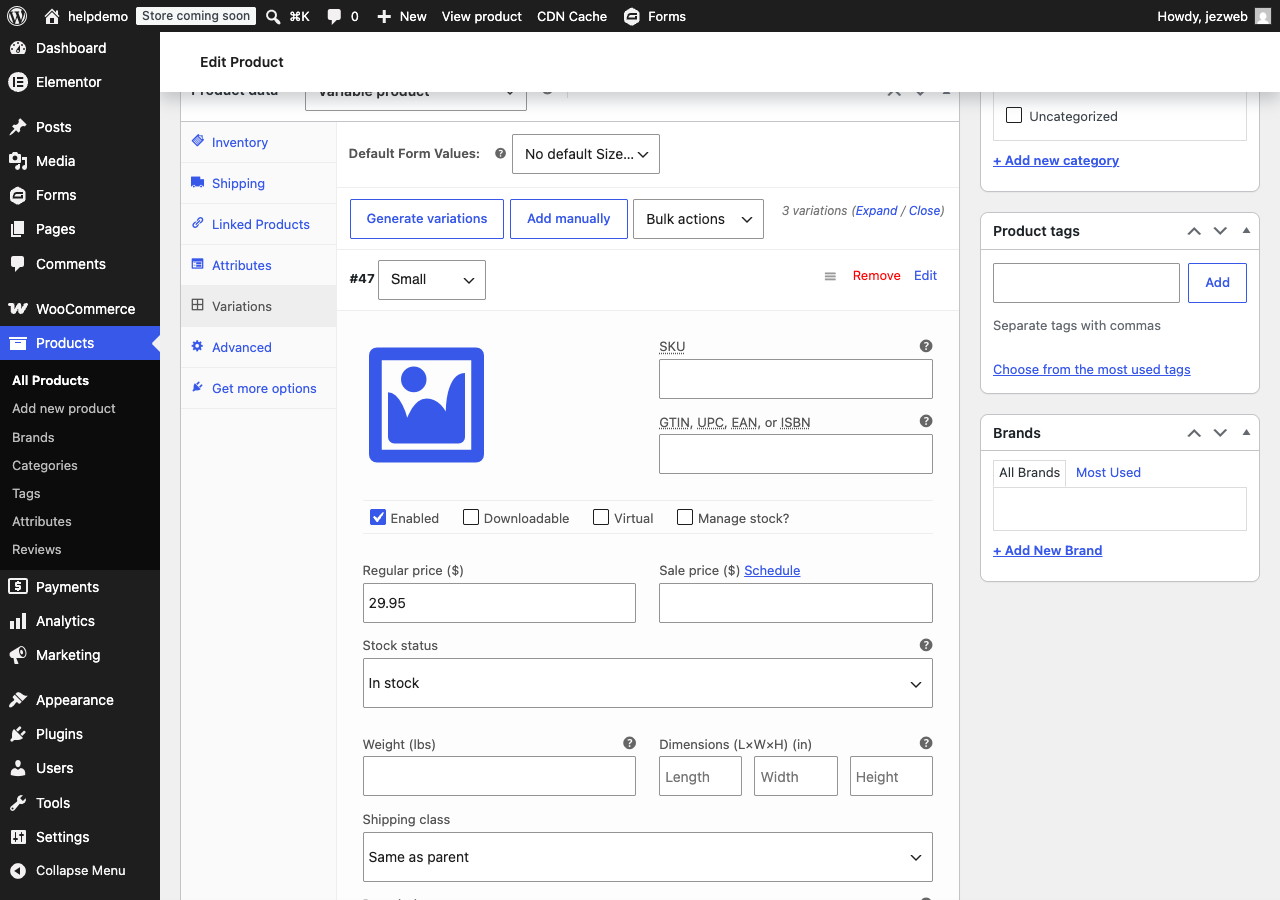
Open the Variations tab. Click Generate variations and confirm; WooCommerce creates one for every value (and every combination, if you added two attributes).
-
Click Edit on a variation to expand it and set its price. A price per variation is required, or it can’t be bought. You can also give each its own photo, SKU and stock level. Expand each variation in turn, or use the bulk-actions dropdown to set the same price across all of them.
-
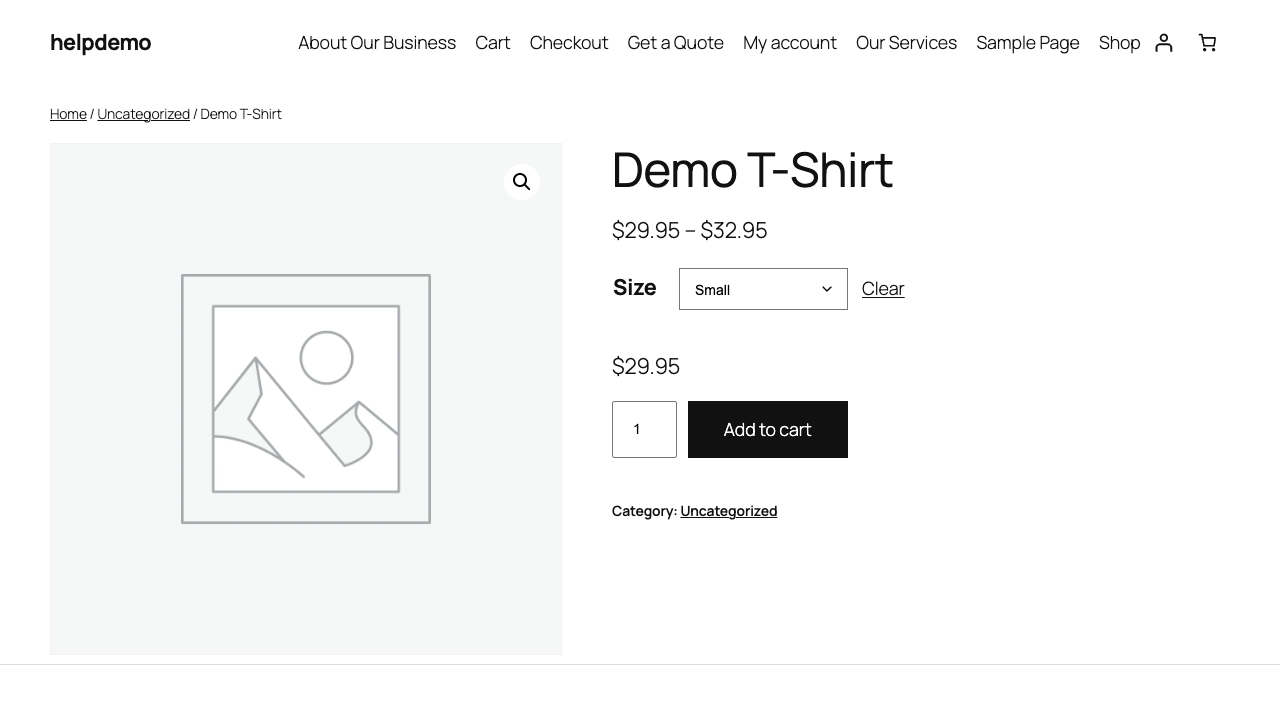
Update the product. On the live product page, customers now pick from a dropdown before adding to cart.
The two traps
- A variation without a price doesn’t show. If an option is mysteriously missing on the live page, it almost certainly has no price set.
- Two attributes multiply. Four sizes and five colours is twenty variations to manage. Only make an attribute “used for variations” if the choice genuinely changes the price, stock or photo; otherwise list it in the description.
When it’s more like a quote
If every job is different (custom sizes, made to order), variations fight you. A product set to “price on enquiry” with a form often serves customers better; talk to us about the right shape for your catalogue.
Didn't work, or not sure?
No worries — that's what we're here for. Tell us what step you got up to and what you saw, and we'll sort it with you.