Stop spam coming through your forms
If your inbox is filling with form submissions about SEO services, crypto and “business proposals”, you’re not being targeted; bots fill in every form they find. Two settings deal with most of it.
Turn on the honeypot
The honeypot is an invisible trap field. Humans never see it; bots fill it in, and Gravity Forms quietly bins the submission. It’s free, invisible to your customers, and the first thing to switch on.
-
Open your form (Forms, then click the form name).
-
Hover over Settings and click Form Settings.
-
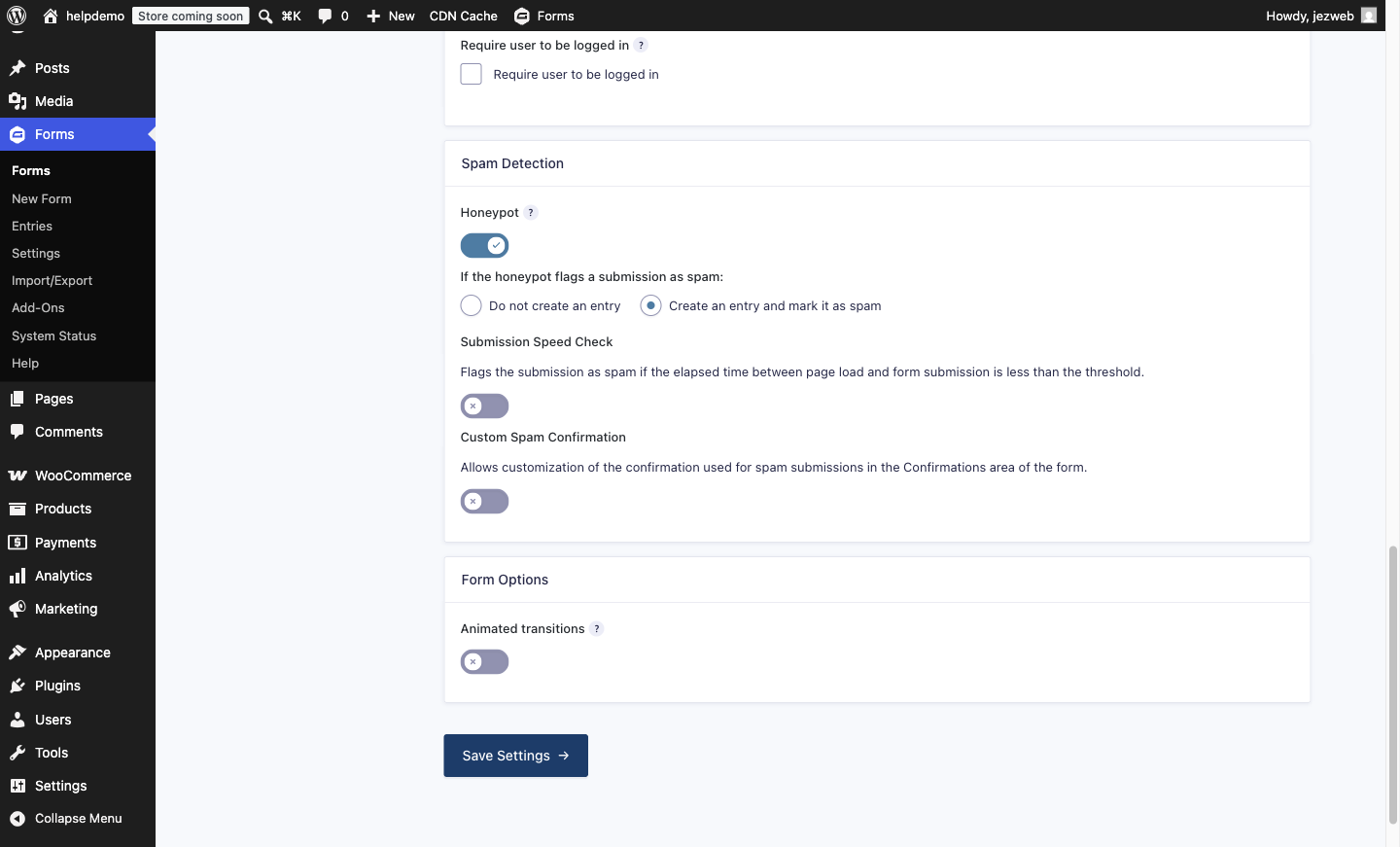
Scroll to the Spam Detection section and switch on the Honeypot toggle. A choice appears for what happens when the trap catches something: pick Create an entry and mark it as spam. That way trapped submissions go to a Spam folder you can glance at, instead of vanishing; if one real customer ever trips the trap, you can rescue them.
While you’re in this section, also switch on Submission Speed Check if your version shows it. It flags submissions filled in faster than any human types.
-
Click Save.
Mark stragglers as spam
Anything that still gets through can teach the filter:
-
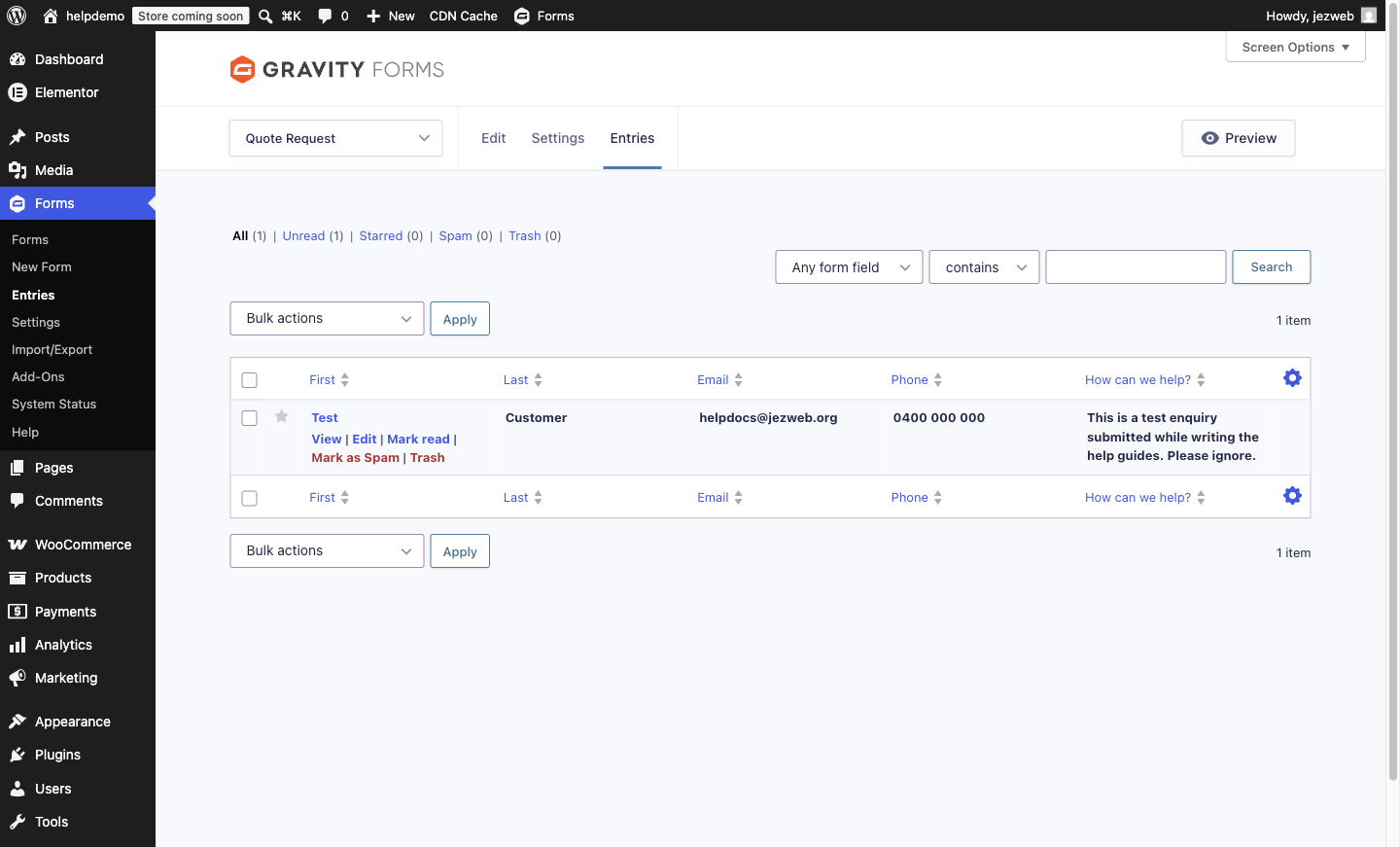
Go to Forms → Entries and open the spam entry.
-
Use the Mark as Spam action. Spam entries move to a separate Spam folder instead of emailing you.
If the flood continues
The honeypot stops the lazy bots. If you’re still getting hammered, the next step up is a challenge that runs silently in the background (no “click all the traffic lights” puzzles for your customers): a CAPTCHA add-on or Cloudflare Turnstile. That’s a quick job on our side, get in touch and we’ll set it up on your form.
What not to do
Don’t make real customers pay for the bots’ behaviour. Adding “verify you are human” questions, maths puzzles or extra required fields costs you genuine enquiries. The right tools work invisibly; if your anti-spam is visible to customers, there’s a better way to do it.
Didn't work, or not sure?
No worries — that's what we're here for. Tell us what step you got up to and what you saw, and we'll sort it with you.