Change the form thank-you message
When someone submits a form, Gravity Forms shows them a confirmation. The default is a bland “Thanks for contacting us!” line. A better one tells people what happens next, and that’s worth two minutes of your time.
Find the confirmation settings
-
Go to Forms in the left menu and hover over your form.
-
Hover over Settings in the row of links that appears, and click Confirmations.
-
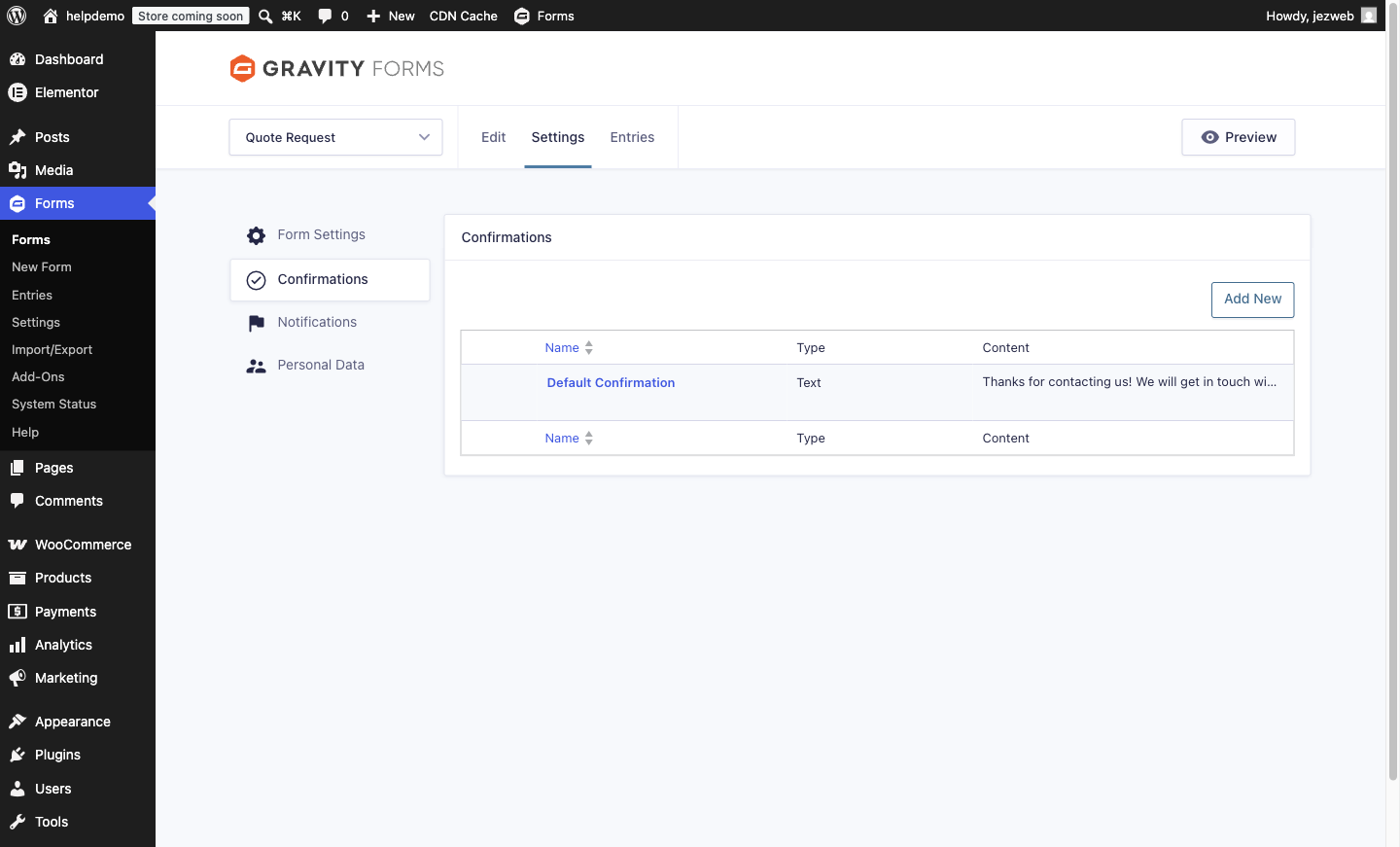
You’ll see a list with a Default Confirmation entry. Click its name to edit it.
Write a better message
-
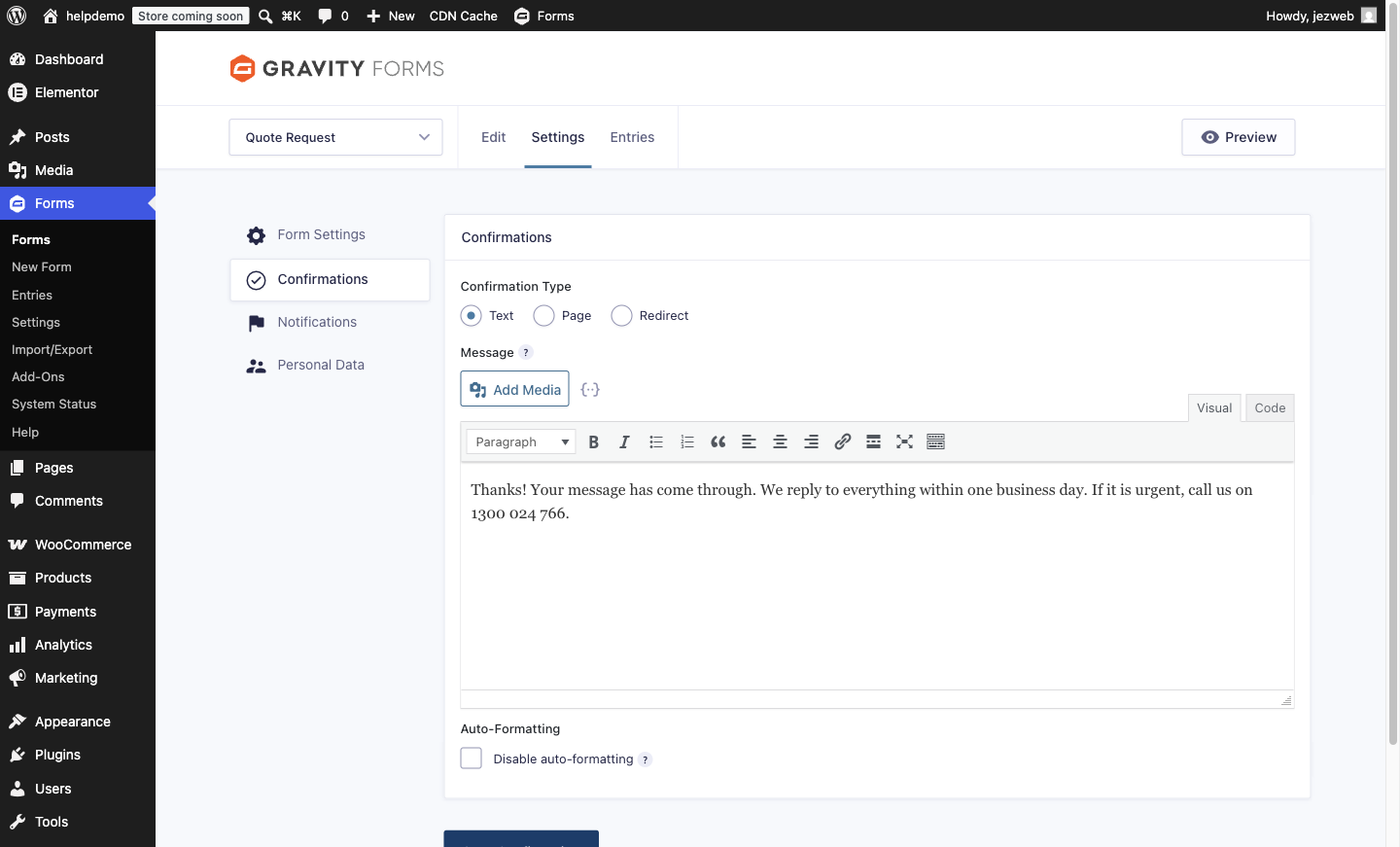
With Confirmation Type set to Text, type your message in the editor. A good confirmation answers the question “did it work, and what happens now?”:
Thanks! Your message has come through. We reply to everything within one business day. If it’s urgent, call us on (your number).
-
Click Save Confirmation.
Or send them to a page instead
If you’d rather show a full thank-you page (useful for tracking conversions, or for a longer “what happens next”):
- Choose Page as the confirmation type and pick one of your existing pages, or
- Choose Redirect and paste any URL.
Save, and submissions now land there instead of showing the text message.
Test it
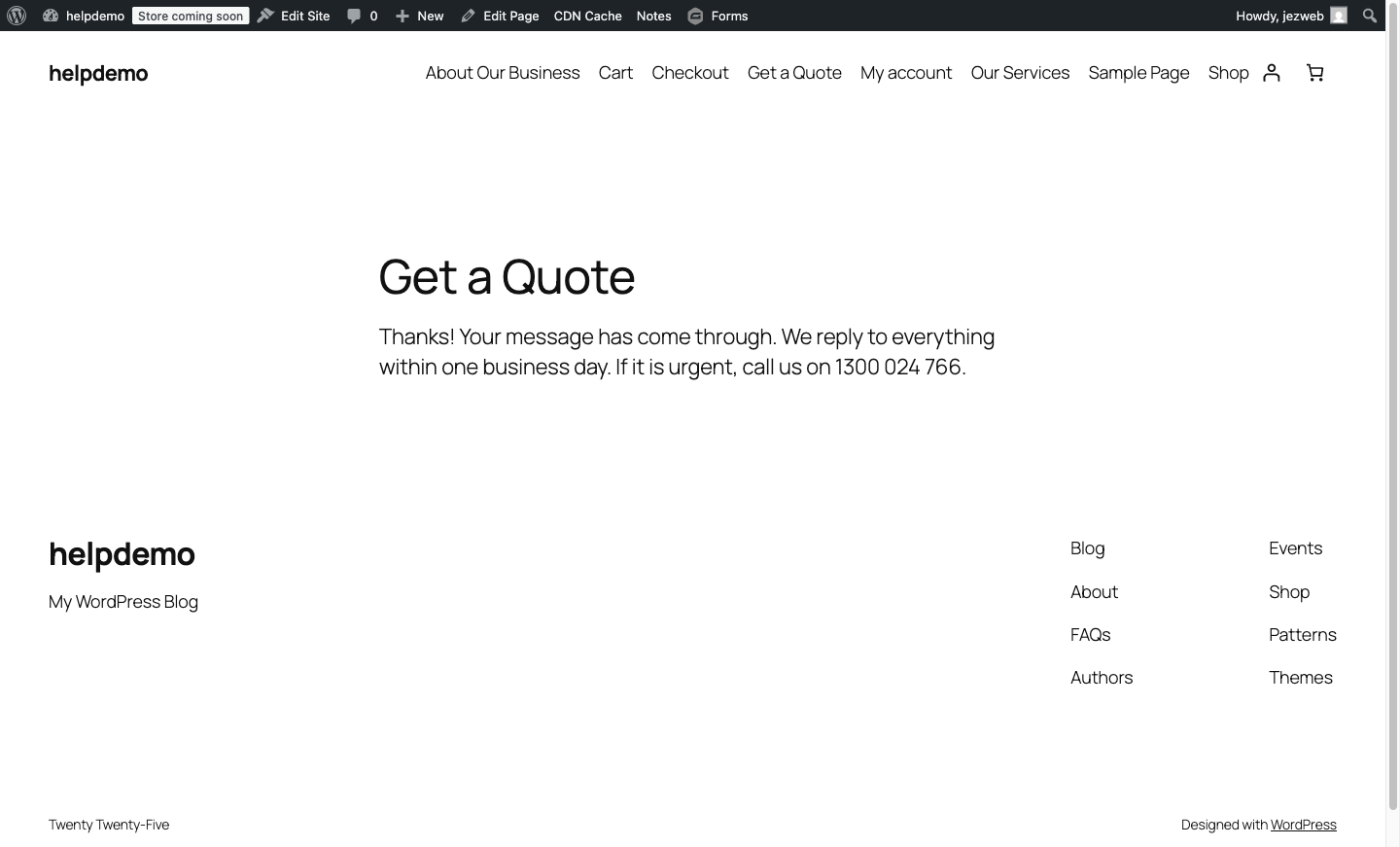
Open the page with your form in a private/incognito window, submit a test entry, and check you see the new message.
 (Your test will appear in the form’s entries and send a notification email, so delete it afterwards if you like things tidy.)
What this doesn’t change
The confirmation is what the visitor sees. The email that you get when someone submits is a separate setting: see Change who gets form notification emails.
Didn't work, or not sure?
No worries — that's what we're here for. Tell us what step you got up to and what you saw, and we'll sort it with you.